Recordist for iPhone
Listen to the person across the table. Keep every word.
Put your iPhone face up on the table and press Record. Nothing records until you say yes, and then the transcript is written on your iPhone while you talk, so your eyes stay on the person in front of you.

For iPhone with iOS 26 or later.
A sample conversation
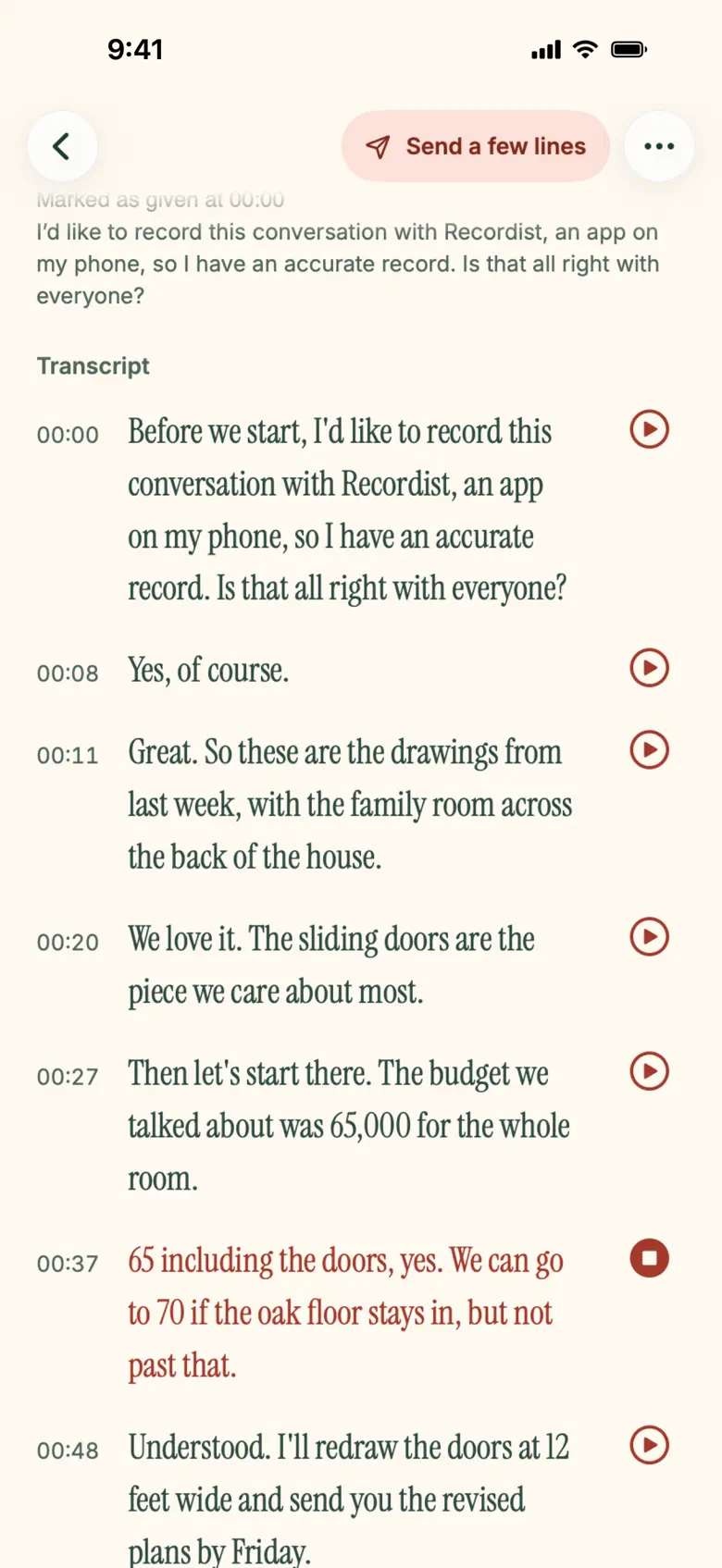
00:37“65 including the doors, yes. We can go to 70 if the oak floor stays in, but not past that.”
In the app
The words, kept the way they were said.
-
01
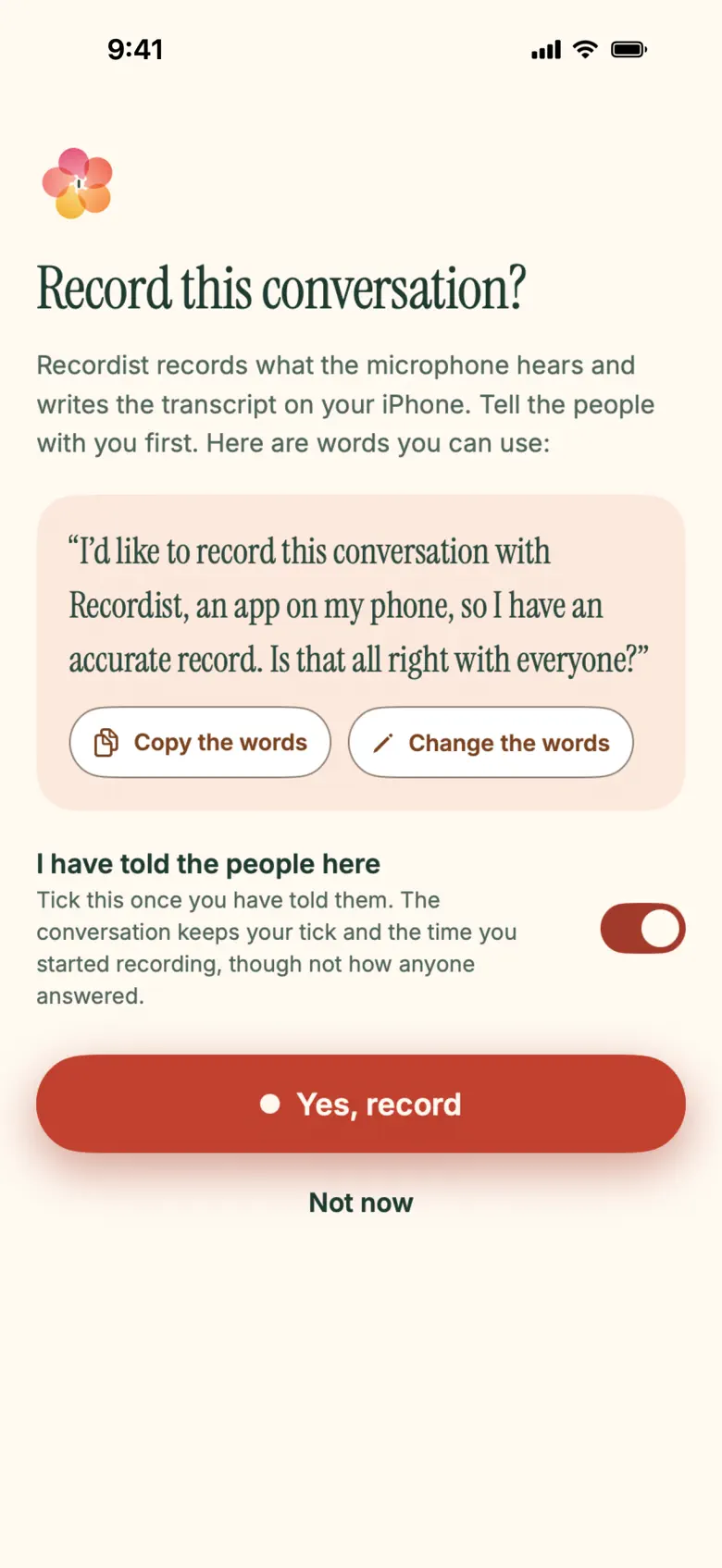
The card asks first
Before anything records, a card gives you words to say to the people with you.
-
02
The words
The transcript is written on your iPhone while you talk. Press play beside a line to hear it said again, for as long as you keep the audio.
-
03
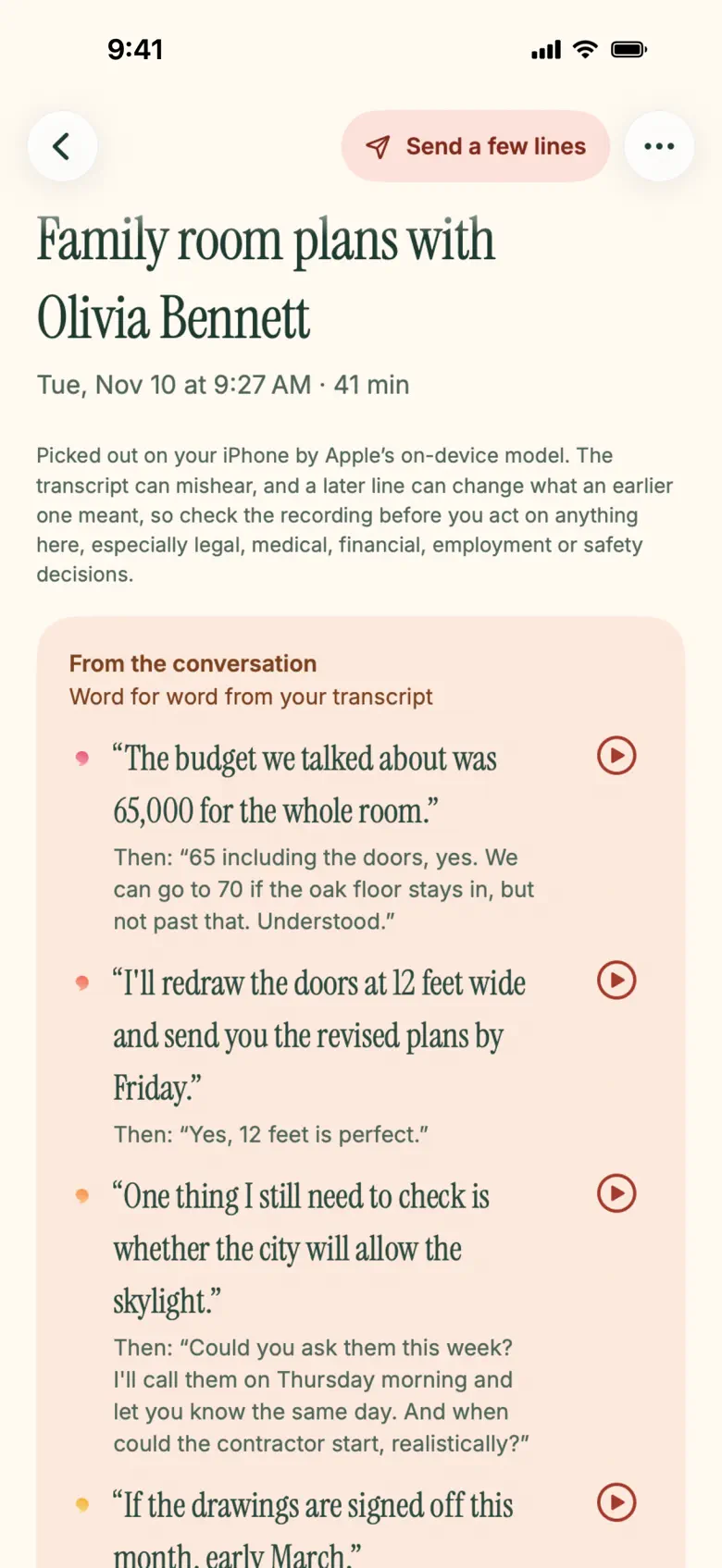
The notes
On an iPhone with Apple Intelligence, moments from the conversation, each word for word from your transcript, with what was said right after it. What any of it meant is yours to say.
-
04
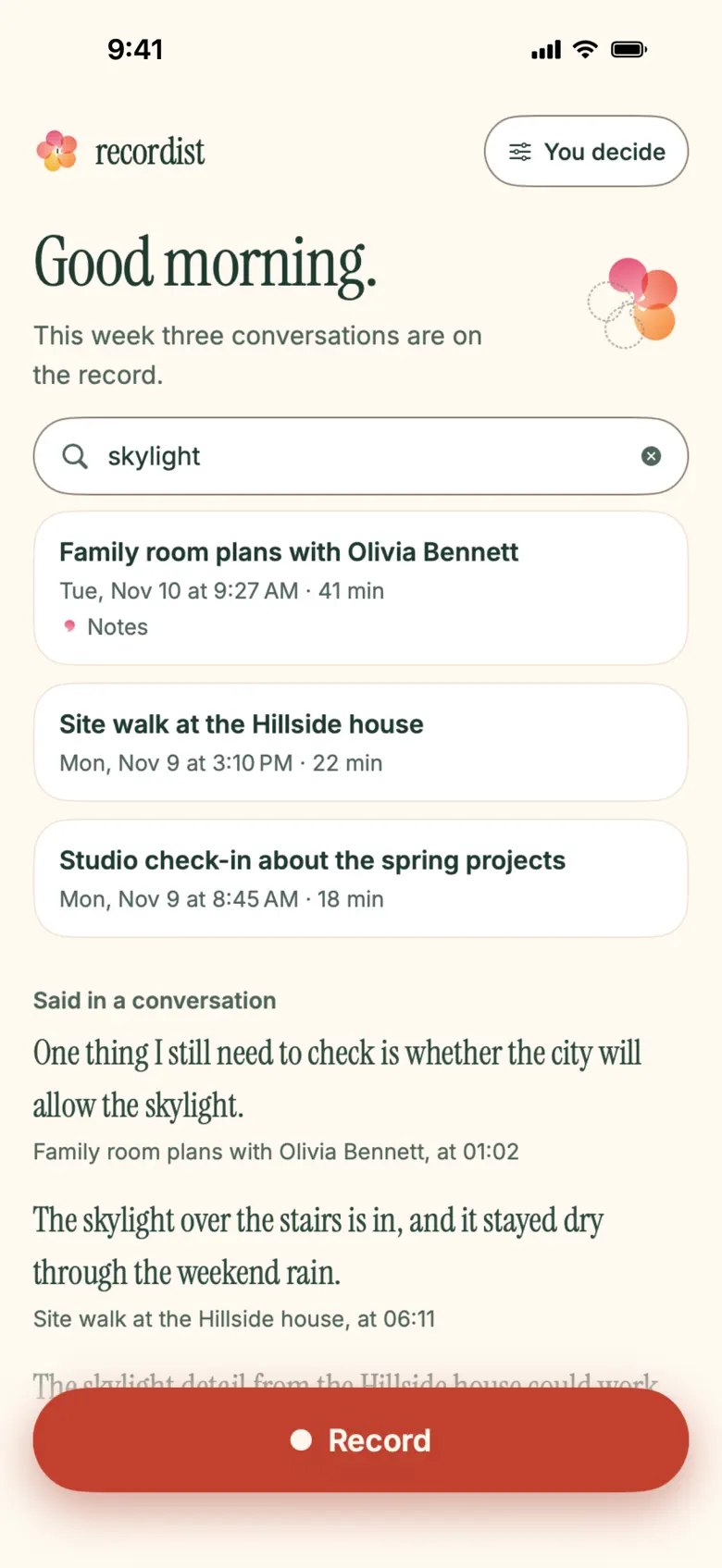
Search
Search finds a sentence in any of your conversations and opens the conversation it was said in.
What stays true
Yours, on your iPhone.
-
01
Nothing records until you say yes.
Press Record and a card asks first, with words you can say to the people with you. You can make the words your own.
-
02
The transcript is written on your iPhone.
Apple’s speech recognition writes it on your iPhone while you talk. There is no account to make.
-
03
Delete removes everything from your iPhone.
The audio, the transcript and the notes go, and Recordist keeps no other copy.
Questions people ask
- Is there a Recordist iPhone app?
- Yes. Recordist for iPhone is on the App Store as “Recordist: Private AI Memory”, for iPhone with iOS 26 or later.
- Where do I download Recordist for iPhone?
- From the App Store, at https://apps.apple.com/app/id6831391700, or with the Download on the App Store badge on this page.
- Does Recordist record without asking?
- No. Nothing records until you say yes: press Record and a card asks first, with words you can say to the people with you.
- Where are my recordings kept?
- On your iPhone. The transcript is written on your iPhone while you talk, there is no account to make, and Delete removes the audio, the transcript and the notes from your iPhone.
Your next conversation, kept.
For iPhone with iOS 26 or later.
Privacy for Recordist on iPhone Help and support
Follow Recordist on LinkedInXYouTube
At your desk too
For your calls, Recordist is also an app for Mac, Windows and Linux. No bot joins the call, and by default it asks before it records.