Who it's for · For startup founders
Recordist keeps the notes from your customer, investor and hiring calls on your Mac
Customers invite you to their platform, investors to theirs, and candidates join yours. Recordist doesn't join any of those calls. After you click Record, it records your microphone and the sound of the call on your own Mac, and when the call ends it writes the notes there. Weeks later you can search for a word such as "pricing" and hear the sentence where a customer said it.
The browser demo is the real app with made-up meetings. Nothing is recorded.
- Recordist runs on Macs with Apple silicon and macOS 14.6 or later. It isn't available for Windows or Linux yet.
- There is no account, and audio is never uploaded. The Privacy Ledger in the app lists the network requests it makes, apart from a few kinds listed in Help, none of which carries meeting content.
- Early builds aren't notarised by Apple yet, so macOS asks once before the first launch. On a managed work laptop, your IT team may need to allow it.
- Recording, transcription, search and Prep Briefs are free. AI notes are unlimited for your first 14 days and then 3 a month. Pro at $6 a month removes that limit, and its checkout isn't open yet.
-
Does a bot turn up in my customer discovery call?
No. Recordist listens to your own Mac, so nothing appears in the participant list and the customer sees the same call they would see without it.
You still ask before you record. One way to say it: "Mind if I record this so I can listen properly instead of typing? It stays on my laptop." The free consent script tool gives you the words and the rule for the place you and the customer are in. If they say no, click Not this one.
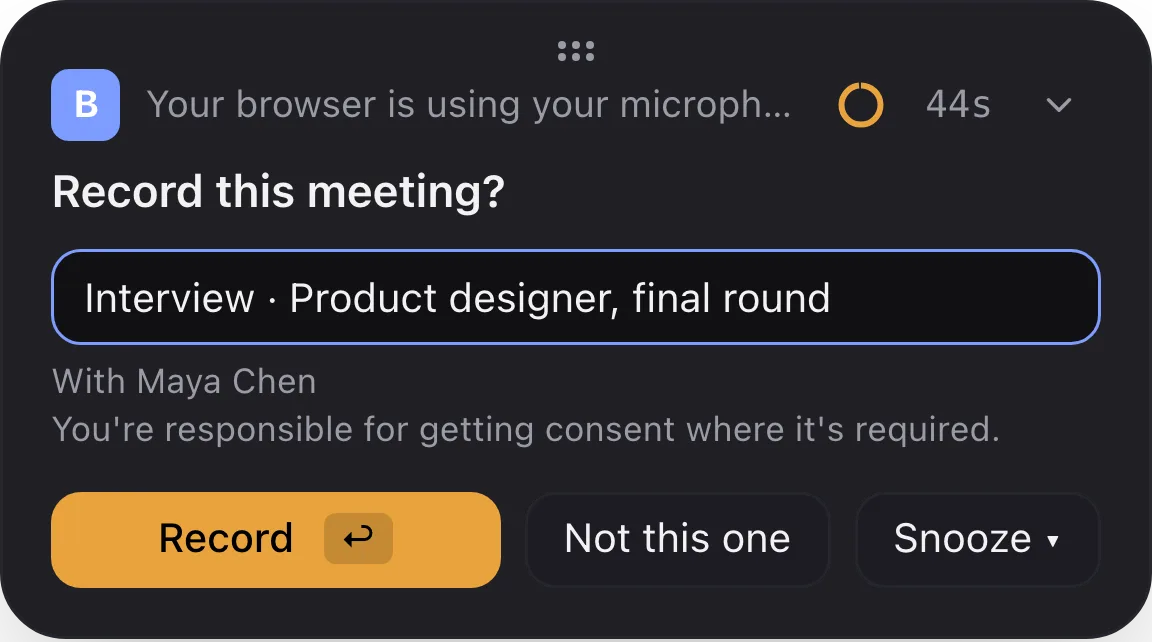
The card that appears when a call starts. Nothing is recorded until you click Record, unless you have put that app on the automatic-recording list in Settings. -
What did that customer say about pricing three weeks ago?
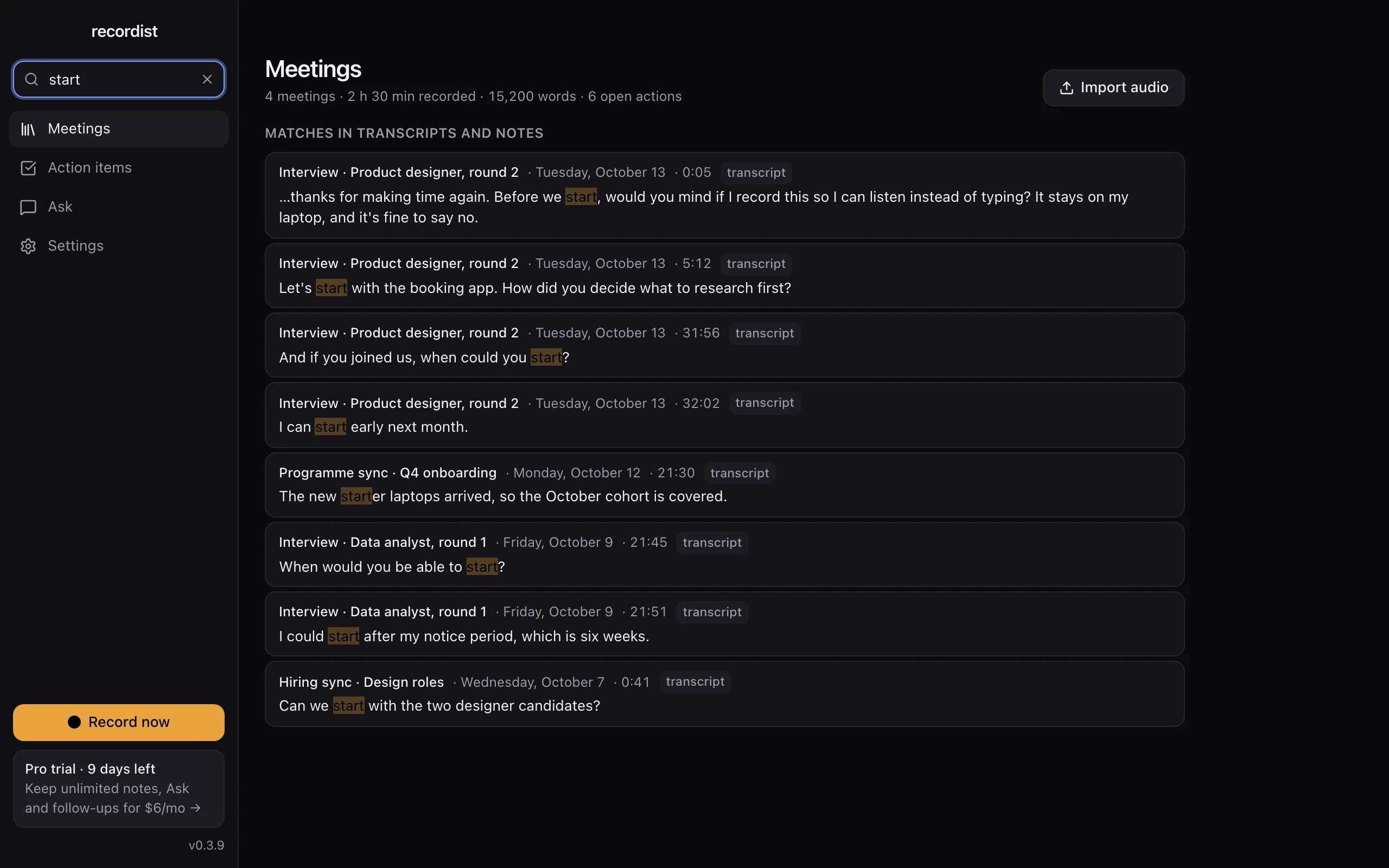
Type a word such as "pricing" or "budget", and Recordist lists every meeting where it was said, with the sentence and the time. Click a result to open that moment, then click the line to hear it. The search index is stored on your Mac and works offline.
One word finds every meeting it was said in, with the sentence and the time. The real app, shown with made-up people and meetings. -
Who promised what after the investor call?
The notes list action items with an owner and a due date when those were said out loud, for example "send the updated model by Friday". The notes engine is told never to add owners or dates that aren't in the transcript. It can still make mistakes, which is why the recording is kept.
The Action items view collects the open items from every meeting, grouped by Overdue, Today, This week and Later, with the meeting each one came from.
See the action items in the demo
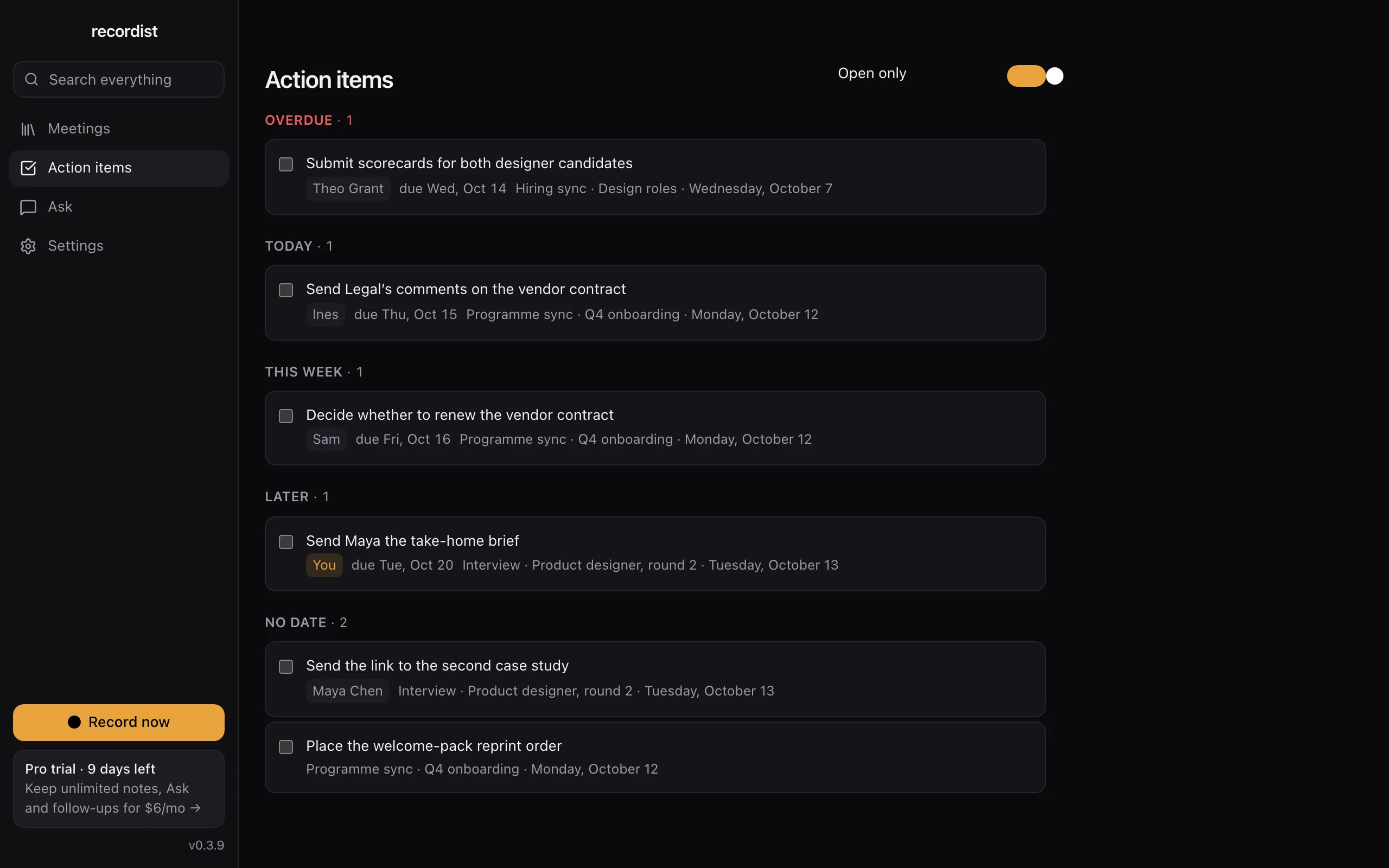
Action items from every meeting in one list, with owners and due dates. The real app, shown with made-up people and meetings. -
Can it remind me what we discussed before the follow-up call?
Yes, when the call is in your calendar. Up to 45 minutes before a call with someone you have met before, a Prep Brief shows what you decided last time, a summary of that meeting and the action items still open on both sides. It needs calendar access.
It finds earlier meetings by the attendees' names, so two contacts with the same first name can end up in one brief. Glance at it before you share your screen.
See the Prep Brief in the demo
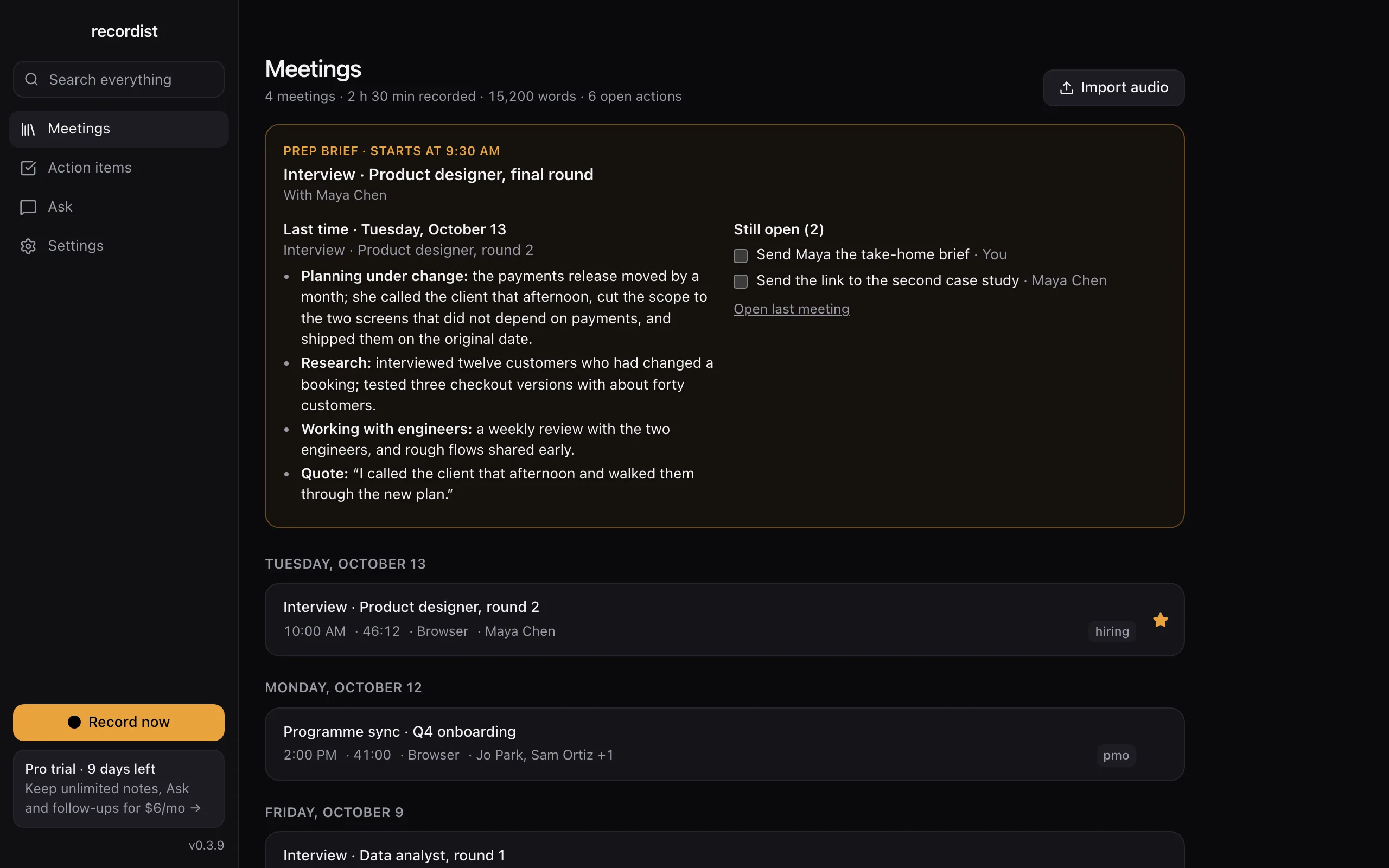
Every meeting you record, in one list on your Mac. The real app, shown with made-up people and meetings. -
Are the notes good enough to send to my co-founder?
Read them first, because notes can be wrong. On a Mac with 8 GB of memory the built-in notes model is small, and its notes miss more than they do on a Mac with more memory. Read them against the transcript before you send them on; clicking any line of the transcript plays that moment.
Open a sample meeting in the demo
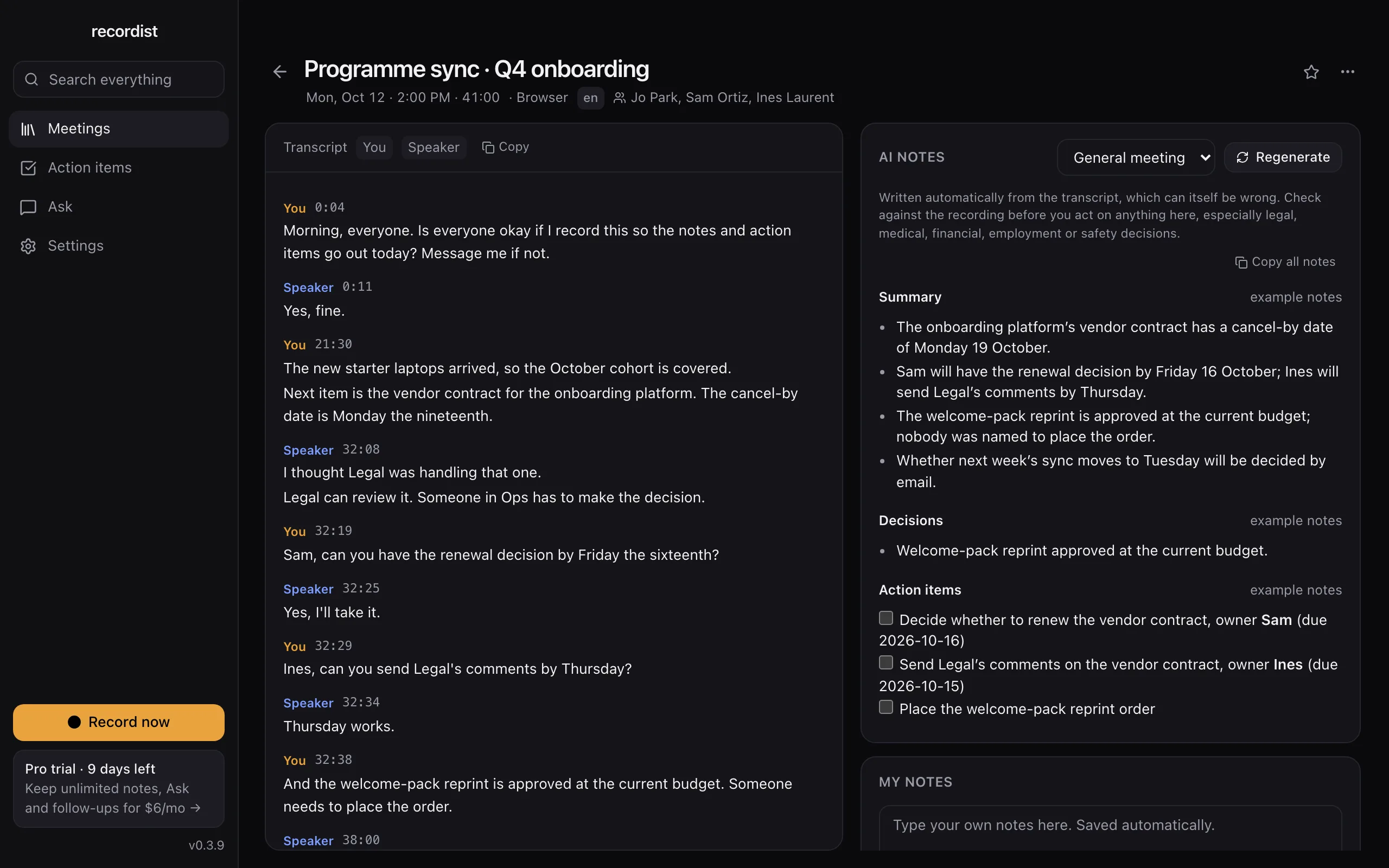
A programme sync: the decision and the action items, with owners and dates where they were said. The real app, shown with made-up people and meetings. -
What about calls under an NDA?
With the built-in engine, the audio, transcript and notes stay on your Mac. There is no account, and audio is never uploaded. The Privacy Ledger in the app lists the network requests it makes, apart from a few kinds listed in Help, none of which carries meeting content. If you choose a cloud AI provider for notes in Settings, the transcript goes to that provider under its terms, so leave the built-in engine on for those calls.
An NDA can also say whether you may record at all. If it does, it decides, and asking the other side settles it.
Open the privacy settings in the demo
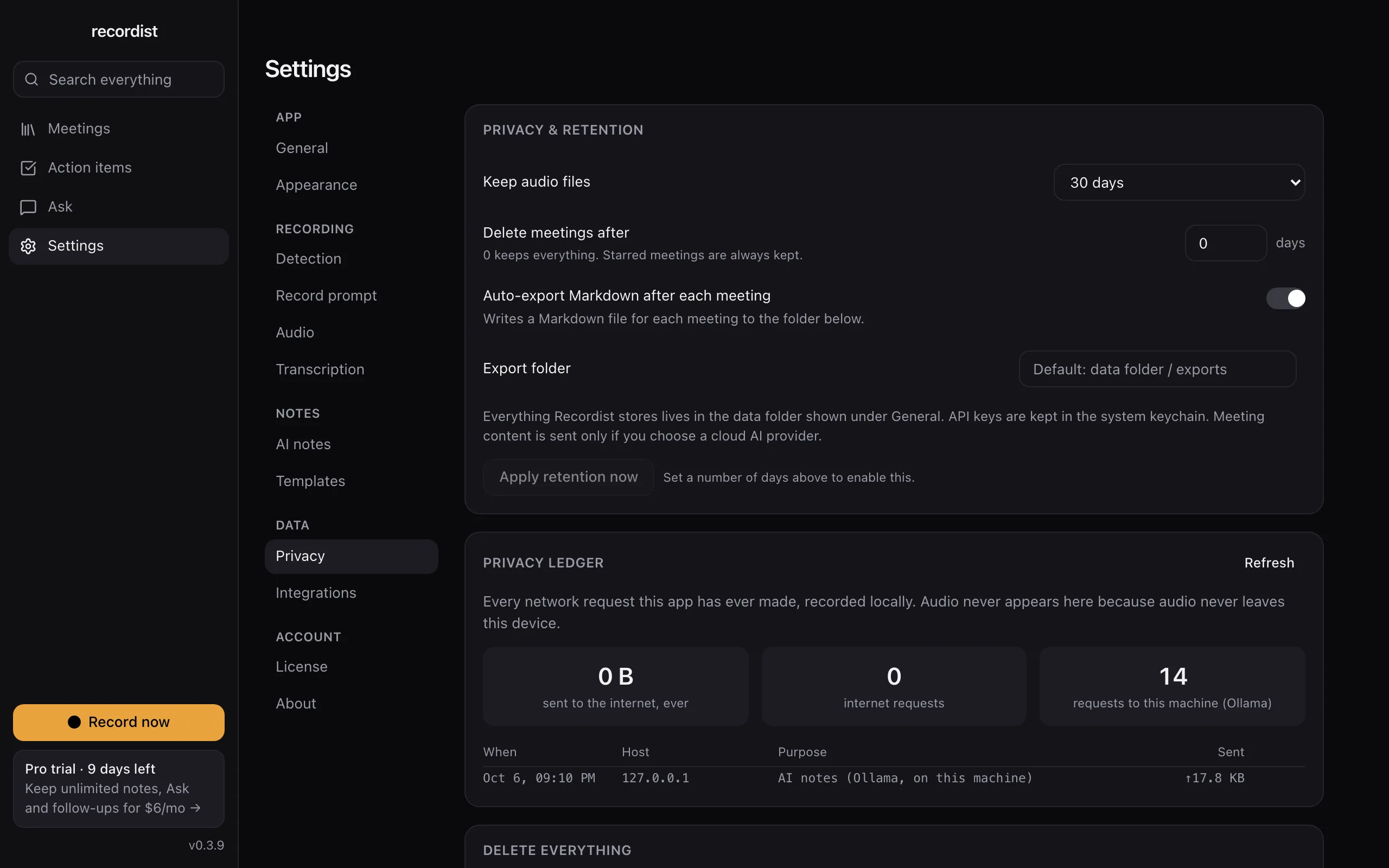
Retention settings and the Privacy Ledger, which lists the app's network requests. The real app, shown with made-up people and meetings. -
Can my AI assistant read my calls?
Yes, if you connect one. Recordist works with assistants that support MCP, such as Claude Desktop, and nothing is connected until you add it to your assistant's settings yourself. A connected assistant reads your meetings on this Mac, and whatever it reads goes to that assistant's provider under the provider's terms. The MCP guide shows the setup.
-
What does it cost?
Recording, transcription, search and Prep Briefs are free. AI notes are unlimited for your first 14 days and then 3 a month. Pro at $6 a month removes that limit, and its checkout isn't open yet. The meeting notes cost calculator works out what notes cost your team today, with your own numbers.
-
How do I start?
Get the beta, record a practice call with a co-founder or a friend, and read the notes. Then use it on the next customer call where the customer agrees. If you later hire people who take calls, the page for reviewers is the one to send whoever looks after security.
What to do next
Two minutes
Click around the real app
Open a sample interview, search for a word and tick an action item, in your browser.
Free tool
How to ask to record a call
The words to say, and the rule where you and the other person are.
Free beta
Try it on your next call
The Mac beta is free, and the first 14 days include every Pro feature. Keep your own notes on anything that matters until you trust it.
Also for
HR and recruiting
Fifteen interviews a week, and the hiring manager wants to know exactly what the candidate said.
Lawyers
You want a record of the call, and you also have to answer for where that record is kept.
Therapists and counsellors
Session notes take your evenings. Recordist is not the tool for them, and this page explains why.
The summary for IT, security and legal reviewers · See every page, or answer four questions to find yours