Press
Press kit
Everything you need to write about Recordist: descriptions you can copy, the facts, logos, real app screens and how to reach us. You can use anything on this page in articles, reviews and listings about Recordist.
What Recordist is
Three lengths of the same description. Each one is accurate as it stands, so you can use it without the others.
In one sentence
Recordist is a Mac app that writes notes from your calls on your own computer, asks whether to record when a call starts, and never joins the call.
In one paragraph
Recordist is a desktop app for Mac computers with Apple silicon that turns calls into transcripts and notes on the computer itself. It records the microphone and the sound the Mac plays, so no bot joins the meeting, and when a call starts, a card asks whether to record it. The person recording still tells the others on the call. Transcription runs on the Mac, and a built-in engine writes the notes there too, or the person can use their own AI provider key. There is no account, and audio never leaves the Mac.
About Recordist (100 words)
Recordist is a Mac app that writes notes from calls on the user's own computer. It records the microphone and the sound the Mac plays, so nothing joins the call, and when a call starts, a card asks whether to record. The person recording tells the others on the call. Transcription runs on the Mac, and a built-in engine writes the summary, decisions and action items there unless the user picks their own AI provider. Audio never leaves the Mac, and there's no account. The free beta needs a Mac with Apple silicon and macOS 14.6 or later. See recordist.app.
Fact sheet
Checked on 8 October 2026 against version 0.3.10 of the app.
- Name
- Recordist, one word with a capital R. The website is recordist.app.
- What it is
- A desktop app that records calls on the person's own computer, transcribes them there and writes notes: a summary, decisions, action items and open questions. Recordist has no server that holds recordings, transcripts or notes.
- Platforms and requirements
- A Mac with Apple silicon (M1 or later) and macOS 14.6 or later. Windows and Linux versions are not offered yet. Early builds aren't notarised by Apple yet, so macOS asks once before the first launch.
- Memory and notes
- On a Mac with 8 GB of memory, the built-in engine uses its smallest model, which can miss action items or state decisions nobody made. For the best notes, use a Mac with 16 GB or more, or your own AI provider key.
- Current version
- 0.3.11, released 8 October 2026. Every version before 1.0 is a beta.
- Price
- The beta is free. Free is $0 with no time limit: every install starts with 14 days of Pro, and after that it includes 3 AI notes a month, with unlimited recording, transcription, search and Prep Briefs. Pro is $6 a month, or $48 a year ($4 a month). Team is $9 per user a month. Checkout for Pro and Team isn't open yet. The pricing page has the details.
- Privacy
- Audio never leaves the Mac. With the built-in engine, transcripts and notes stay on the Mac too. If the person chooses a cloud AI provider, the transcript of each meeting they write notes for goes from the Mac to that provider under their own key. There is no account and no telemetry. The Privacy Ledger in the app lists its network requests, apart from a few kinds named in the help article, none of which carries meeting content, and the Privacy receipt adds them up.
- Consent
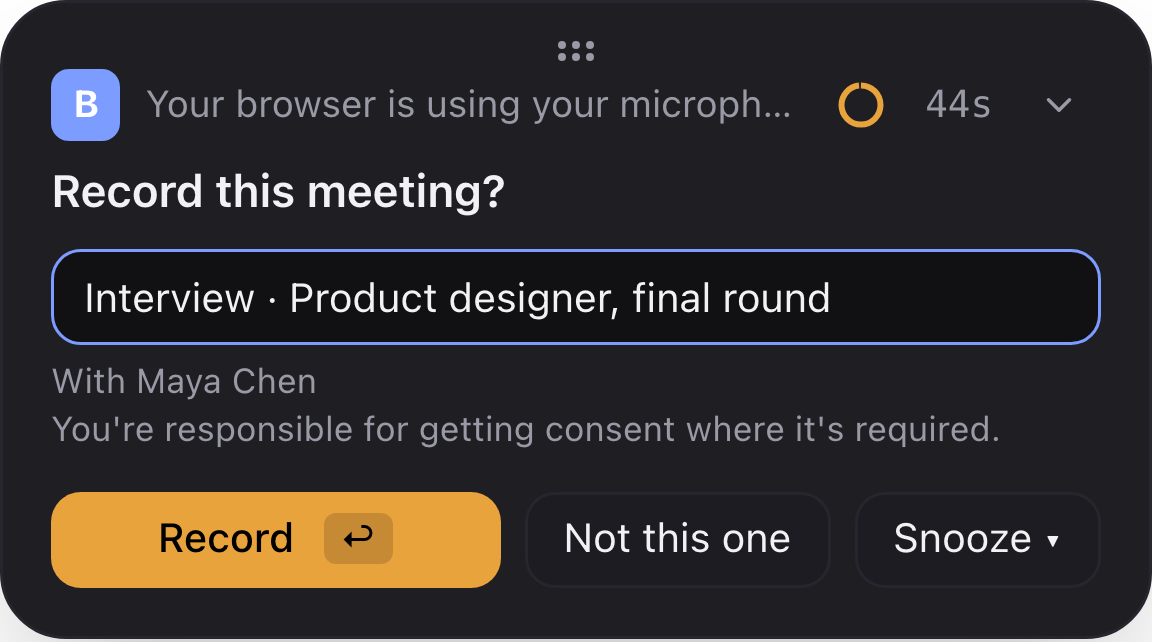
- When a call starts, a card asks "Record this meeting?", and nothing from that call is recorded until the person answers. Apps the person adds to the auto-record list skip the card, and that list starts empty. The Record now button in the main window starts at once. Recordist doesn't tell the other people on the call, so the person recording tells them.
- Speakers
- The person's own voice is labelled You. Everyone on the other side of the call shares one label for now, and it can be renamed in each meeting.
- Exports and assistants
- A meeting exports as Markdown, text, SRT, VTT or JSON, and Export to folder saves the Markdown into any folder, such as an Obsidian vault. Assistants such as Claude Desktop, Claude Code and Cursor can search meetings through a local API, MCP and A2A, which by default answer only on the same Mac.
- Open-source gateway
- The gateway that connects those assistants to Recordist is open source under the MIT licence: app.recordist/gateway in the official MCP Registry, @recordist/gateway on npm, and recordist-app/gateway on GitHub. It is optional and works with the Recordist app on the same Mac.
- Built with
- whisper.cpp for transcription, and an Ollama runtime that the app manages, with open Qwen models, for the built-in notes engine.
- Made by
- A small independent software studio. The company's legal name and address are on the Terms page.
Dates
- Version 0.1.0, the first private build. Details
- Version 0.3.0: the Privacy Ledger, Prep Briefs and the Free, Pro and Team plans. Details
- The open-source gateway is published on npm and in the MCP Registry. Details
- Version 0.3.5: every version before 1.0 is a beta, and macOS 14.6 becomes the minimum. Details
- Version 0.3.10: managed settings for IT, Markdown export and the Privacy receipt. Details
- Version 0.3.11: AI notes checked against the transcript, a small first speech model so the first recording can start sooner, and size and SHA-256 checks on the speech models and the notes engine it downloads. Details
The public launch date hasn't been announced. Until then, the free Mac beta is open, and the download link comes by email from the beta page.
Logos
The logo is the mark, a rounded square with an amber dot in its corner, beside the name in lowercase. Choose the file for the background it will sit on. Please keep the proportions and colours as they are, and leave some space around it. The SVG files have the name as outlines, so they look the same on any computer.

Logo for dark backgrounds
The mark and the name.

Logo for light backgrounds
The mark and the name.

Mark for dark backgrounds
For small spaces, such as a profile picture.

Mark for light backgrounds
For small spaces, such as a profile picture.
Colours
- Amber
#E8A33D
the dot, on dark - Deep amber
#C8861B
the dot, on light - Ink
#141418
text on light, the mark on dark - Night
#0A0A0C
dark background - Paper
#F7F6F2
light background
The name in the logo is set in Inter SemiBold. Headings on the website use Instrument Serif.
Share image
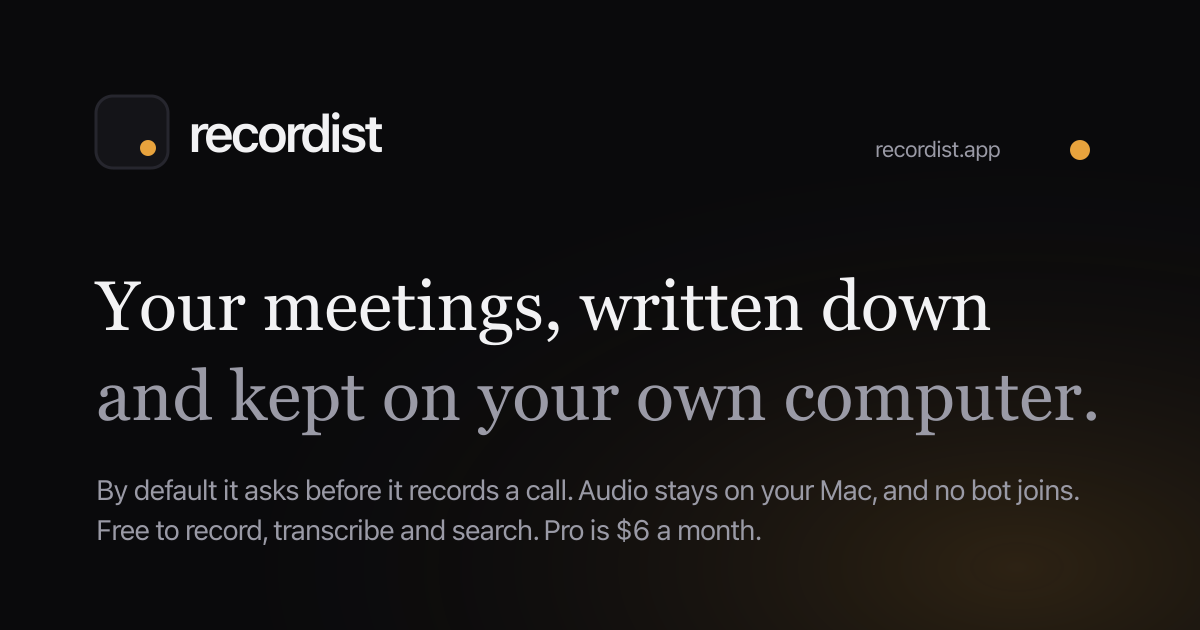
1200 × 630 PNG, the image link previews use.
App screens
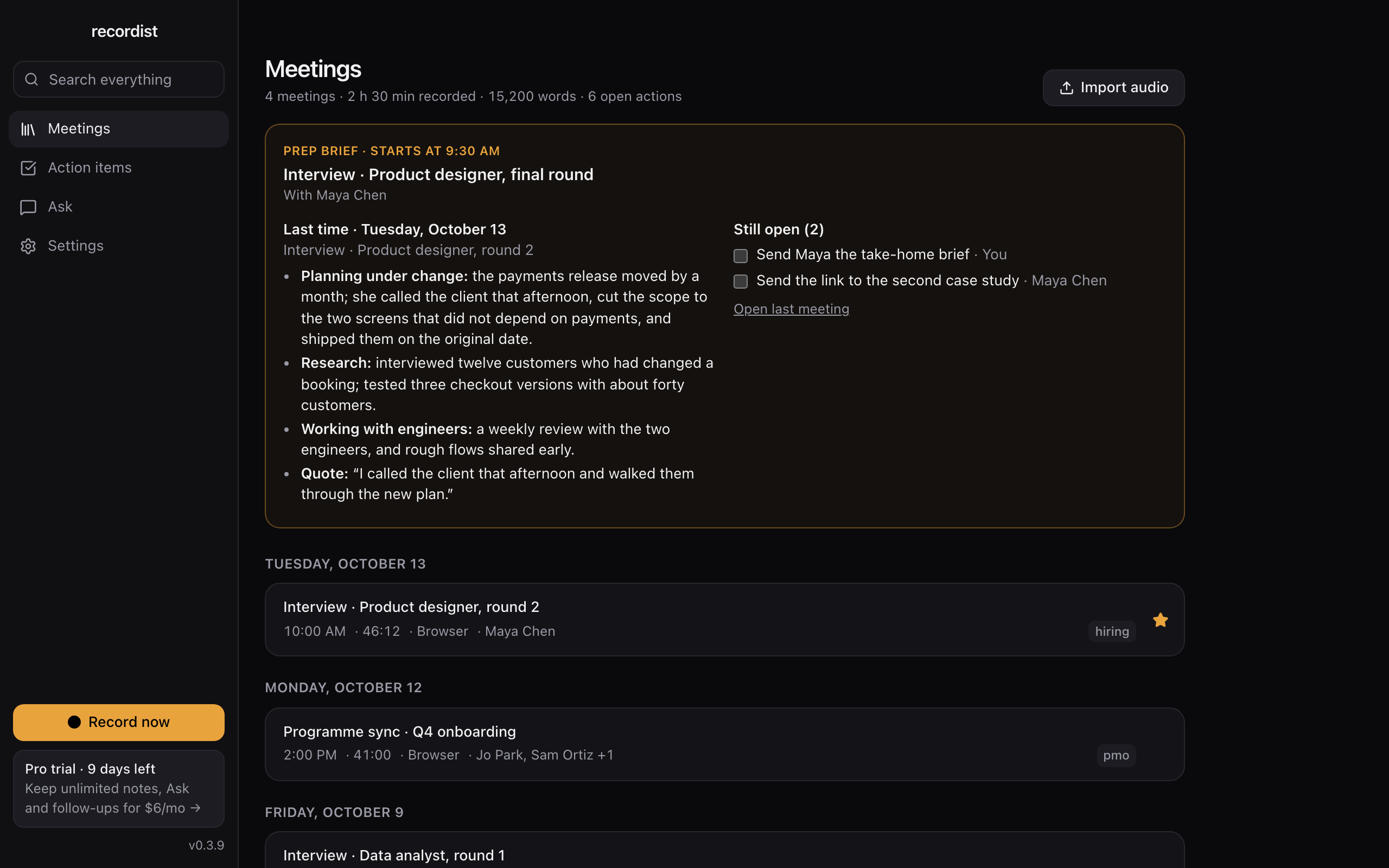
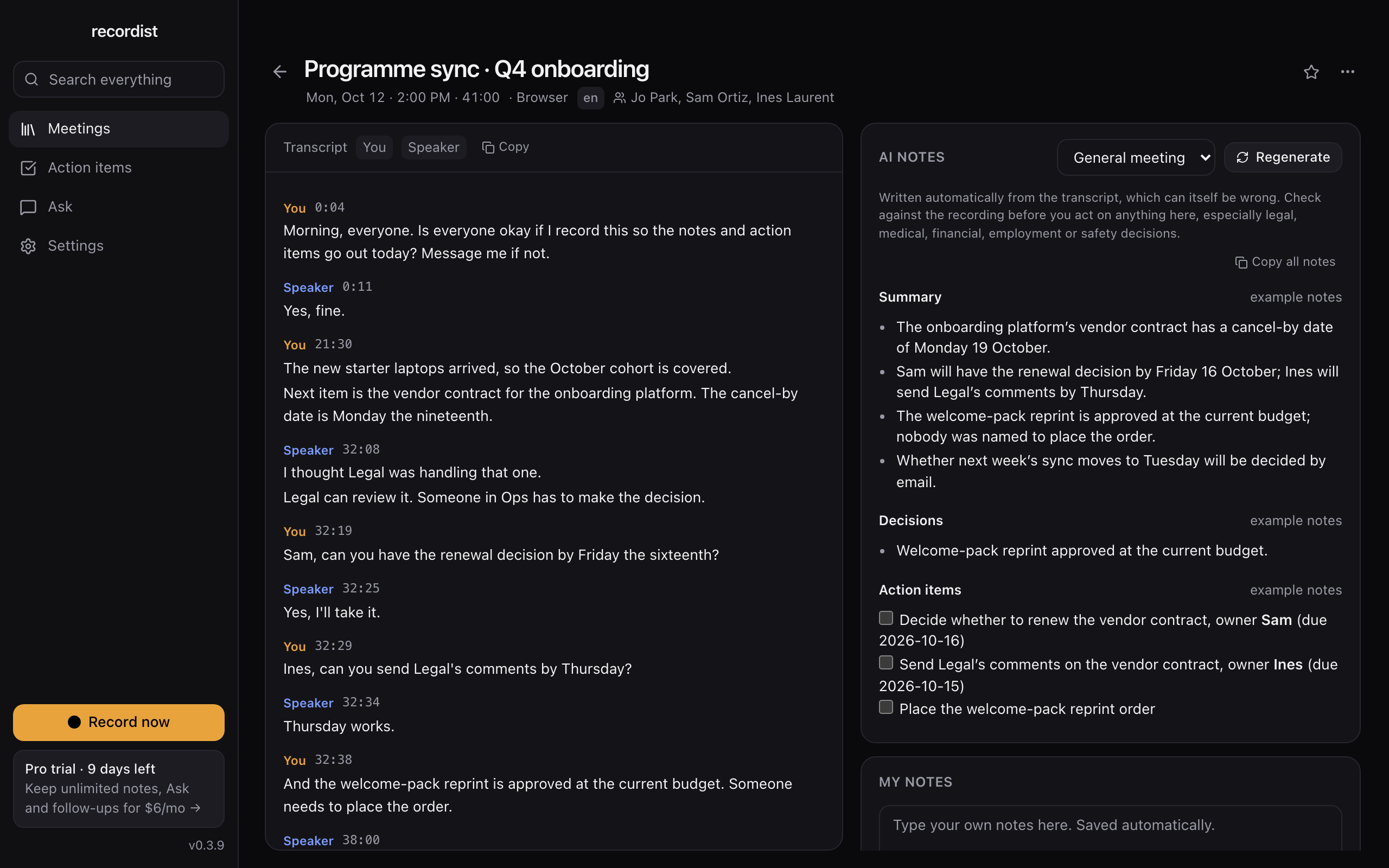
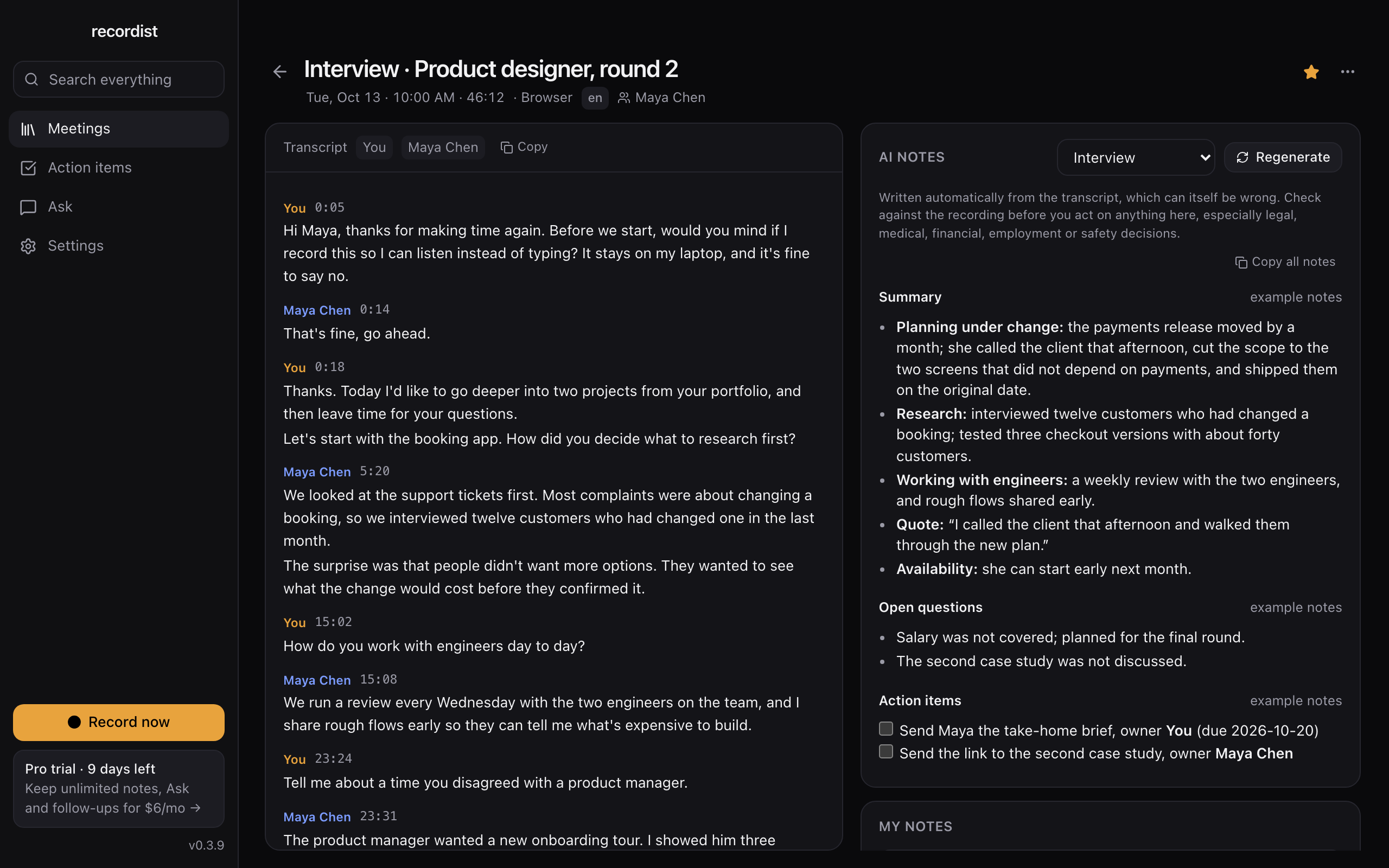
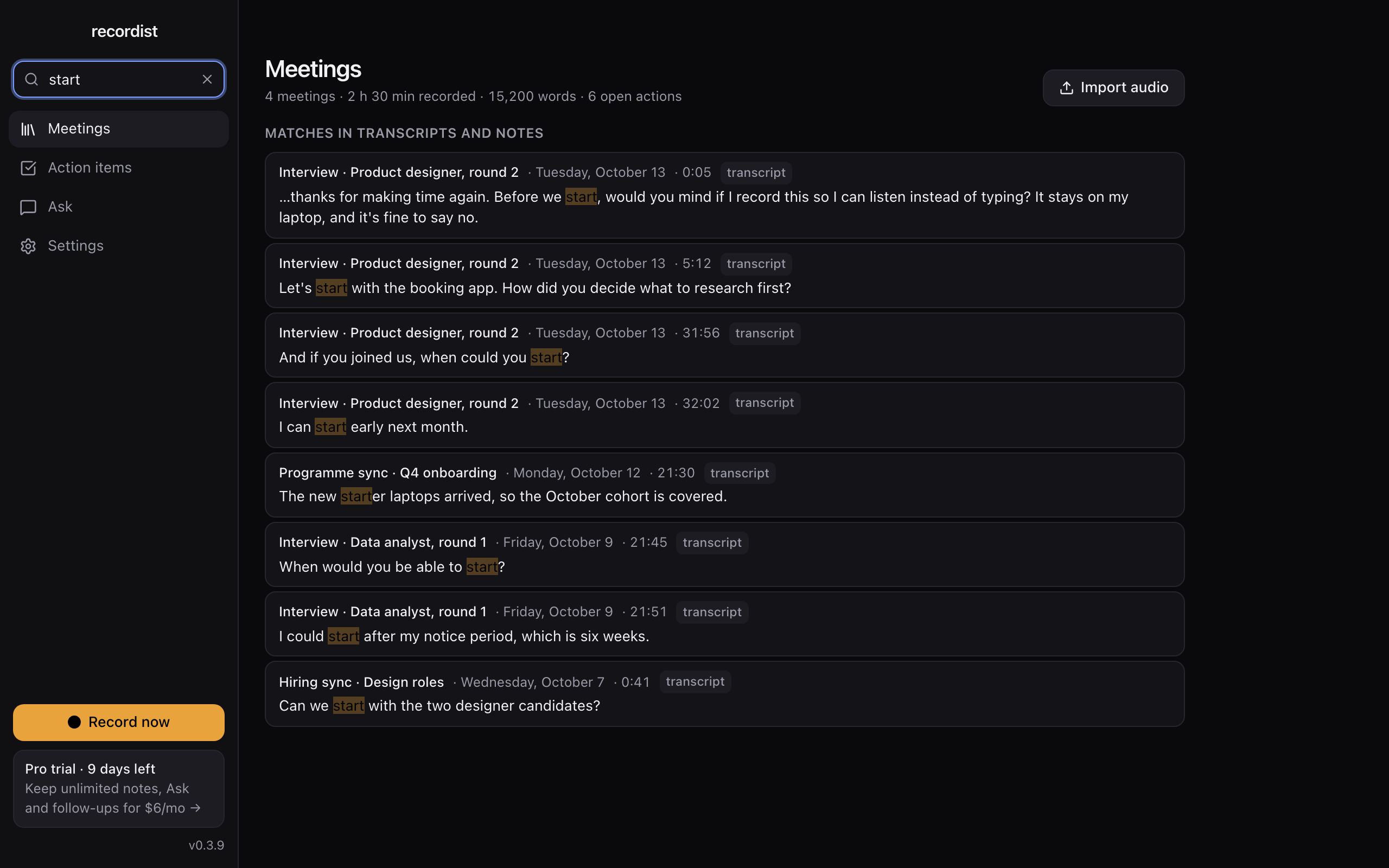
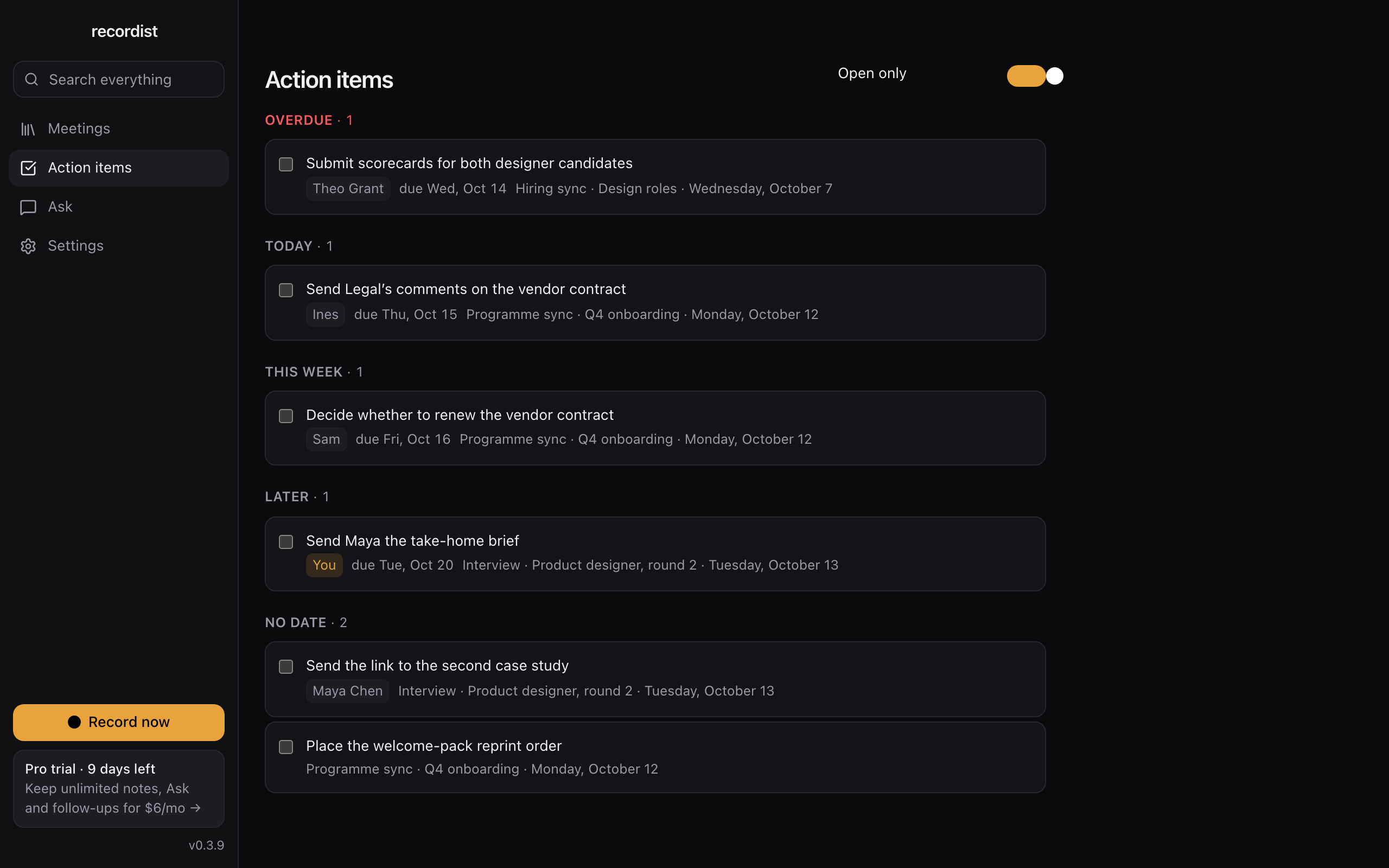
These are screens of the real app, version 0.3.9, with made-up people and meetings. The notes in them, and the action items and Prep Brief built from those notes, were written by hand for this example in the app's own format. Select a screen to open it at full size. The same sample meetings are in the browser demo, which runs the real interface.




How to write about us
Name and spelling
- Write Recordist, one word with a capital R. The lowercase recordist appears only in the logo.
- The website is recordist.app, and the account on X is @recordistapp.
- Please call the makers Recordist, or the team behind Recordist. We don't name individuals, and quotes are given in Recordist's name.
Words that stay true
- Recordist records calls on the person's own Mac, and no bot joins the call.
- When a call starts, a card asks whether to record it.
- The person recording tells the others on the call. Recordist doesn't tell them.
- Audio never leaves the Mac. With the built-in engine, transcripts and notes stay on the Mac too.
- Recordist needs a Mac with Apple silicon and macOS 14.6 or later. Windows and Linux versions are not offered yet.
If you compare Recordist with other tools, our comparison cites a source for each claim about another tool, with the date it was read.
Please don't write
- That it runs on Windows, Linux or an Intel-based Mac.
- Recordist needs a Mac with Apple silicon and macOS 14.6 or later. Windows and Linux versions are not offered yet.
- That it asks before every recording.
- Apps the person adds to the auto-record list skip the card, and so does the Record now button in the main window.
- That nothing ever leaves the computer, or that it is 100% local.
- Model downloads and update checks use the internet, and if the person chooses a cloud AI provider, transcripts go to it. Audio never leaves the Mac.
- That it is invisible, undetectable or secret.
- Nothing joins the call, so the person recording tells the others.
- That it knows who said what.
- The person's own voice is labelled You, and everyone on the other side of the call shares one label for now.
- That it is notarised by Apple.
- Early builds aren't notarised yet, so macOS asks once before the first launch.
- That its notes are always accurate.
- The notes carry a reminder to check them against the recording before acting on them.
- That Ask reads all of a person's meetings.
- Ask reads the last 5 or 8 meetings, or the ones a search found, and it is part of Pro.
- That it is compliant with HIPAA, GDPR or another law or standard.
- We make no such claim. The Trust Center and the summary for reviewers say what the app does with data.
- Numbers of users, downloads or customers.
- We haven't published any.
- Speaker separation or a live co-pilot.
- Neither is in the app.
Contact
For press, write to [email protected]. Please say where your piece will appear and when you need an answer.
If you'd like to try Recordist, ask for the free beta on the beta page, or open the demo in your browser, where nothing is recorded.
Help with the app: [email protected]. Security reports: [email protected].
Links
- Recordist on X
@recordistapp - Recordist on GitHub
github.com/recordist-app - The gateway's source
github.com/recordist-app/gateway - The gateway on npm
@recordist/gateway - The MCP Registry entry
app.recordist/gateway (the registry has no web page for an entry, so this opens its JSON)
On this site: Features · Pricing · Changelog · Trust Center · Summary for IT, security and legal reviewers · The app in your browser · Known issues · MCP server for developers